Advanced Auto Scrolling. Built for Live Performance.
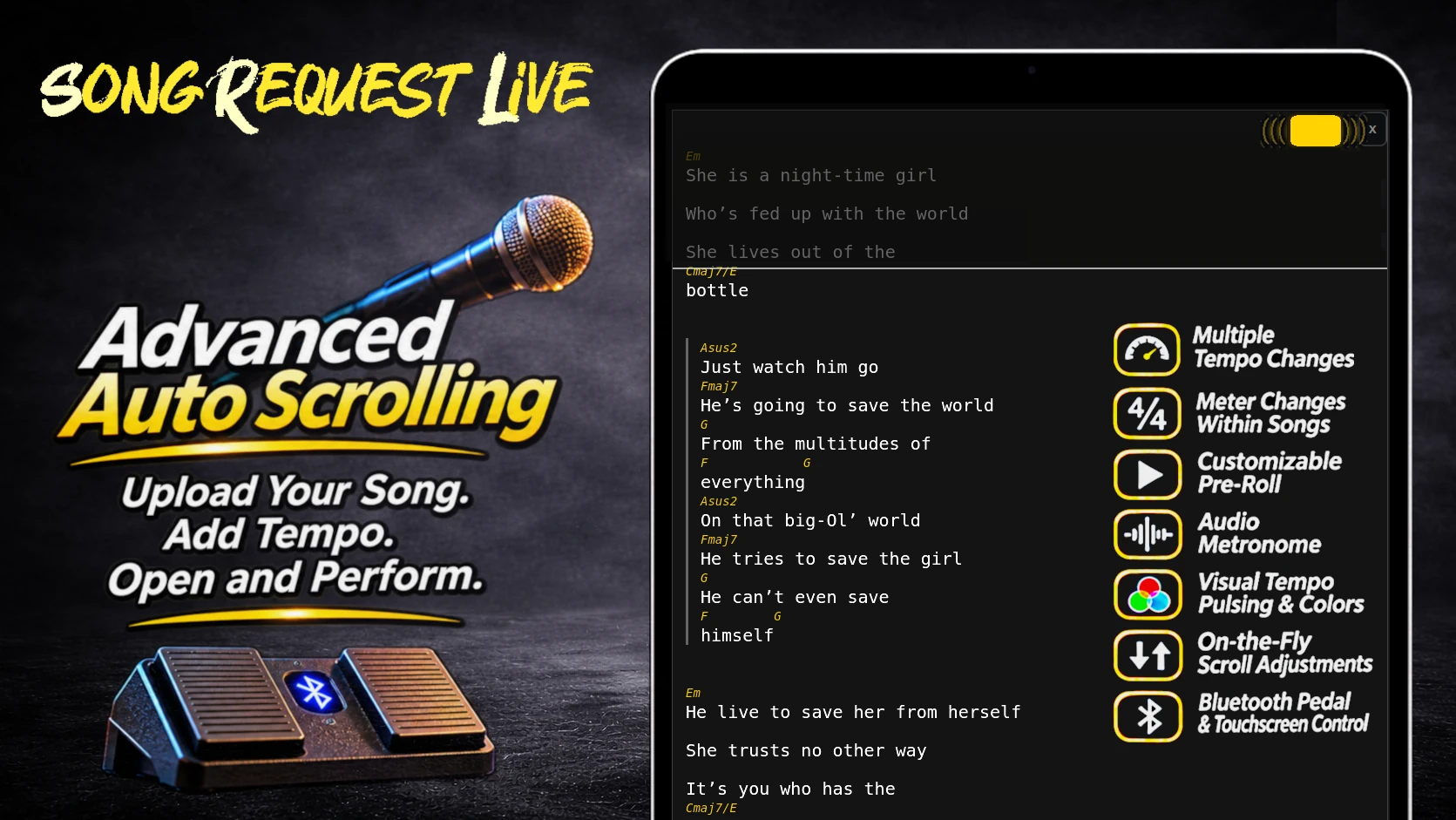
Start from an existing PDF chord sheet or Song Note, add your tempo, and open the song in the SRL Stage Console.
- Tempo-driven automatic scrolling
- Multiple tempo and meter changes in the same song
- Audio count-in and metronome with meter-aware accents
- Customizable visual pulsing and colors
- Hands-free, on-the-fly scrolling corrections
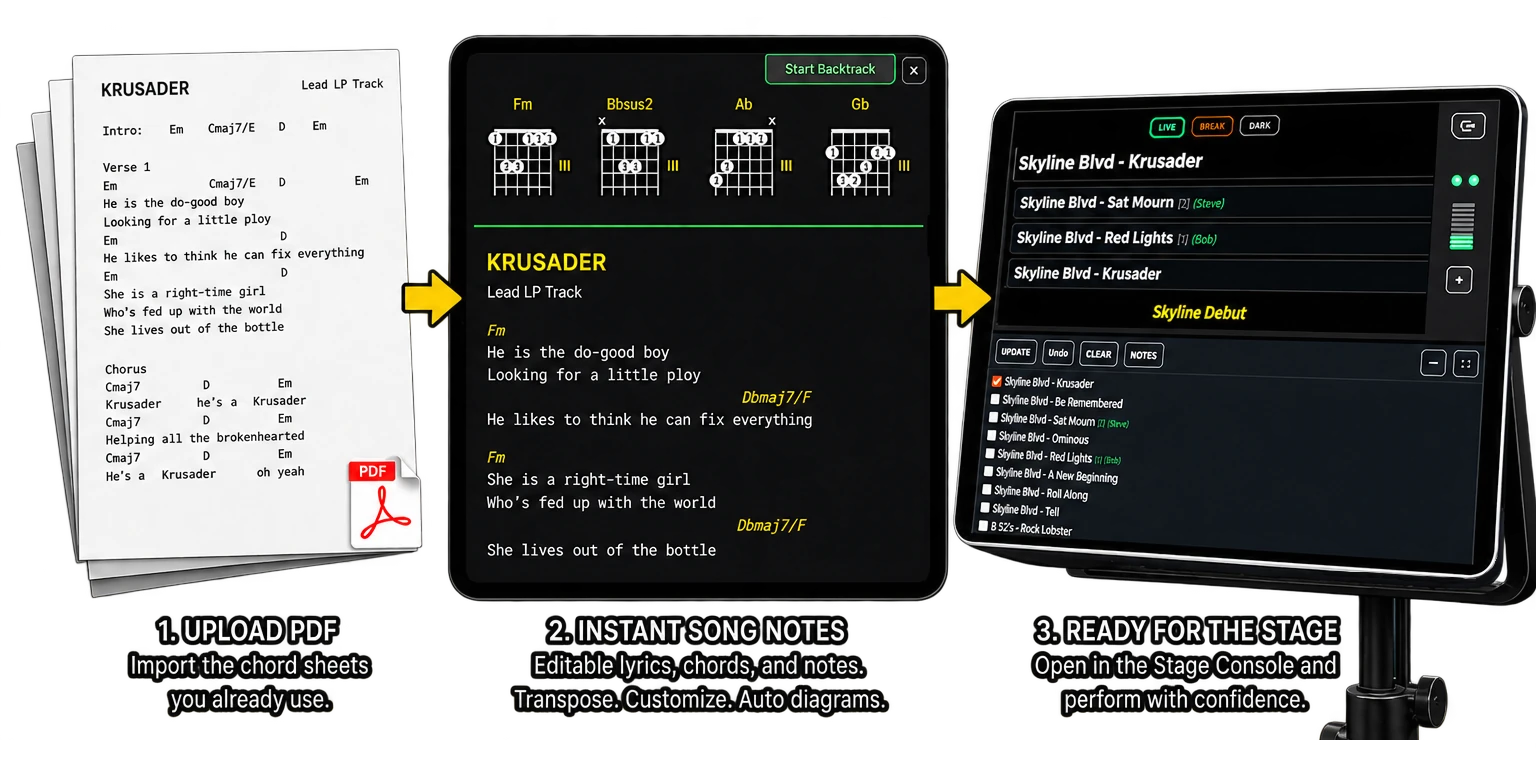
- Fully editable Song Notes from supported PDFs
Explore Advanced Auto Scrolling
Three Steps | Tempo & Meter | Live Control | Count-In & Pulses | Editable PDFs | Stage ConsoleAdvanced Auto Scrolling in Three Steps.
- Upload. Bring in a supported PDF chord sheet, or open an existing Song Note.
- Add tempo. Set the song's BPM. Add tempo or meter changes anywhere the arrangement needs them.
- Open and play. Launch Song Notes from the Stage Console, take the count-in, and let SRL scroll.
That's your workflow. The timing and scrolling are handled by SRL.
One Song. Multiple Tempos. Multiple Time Signatures.
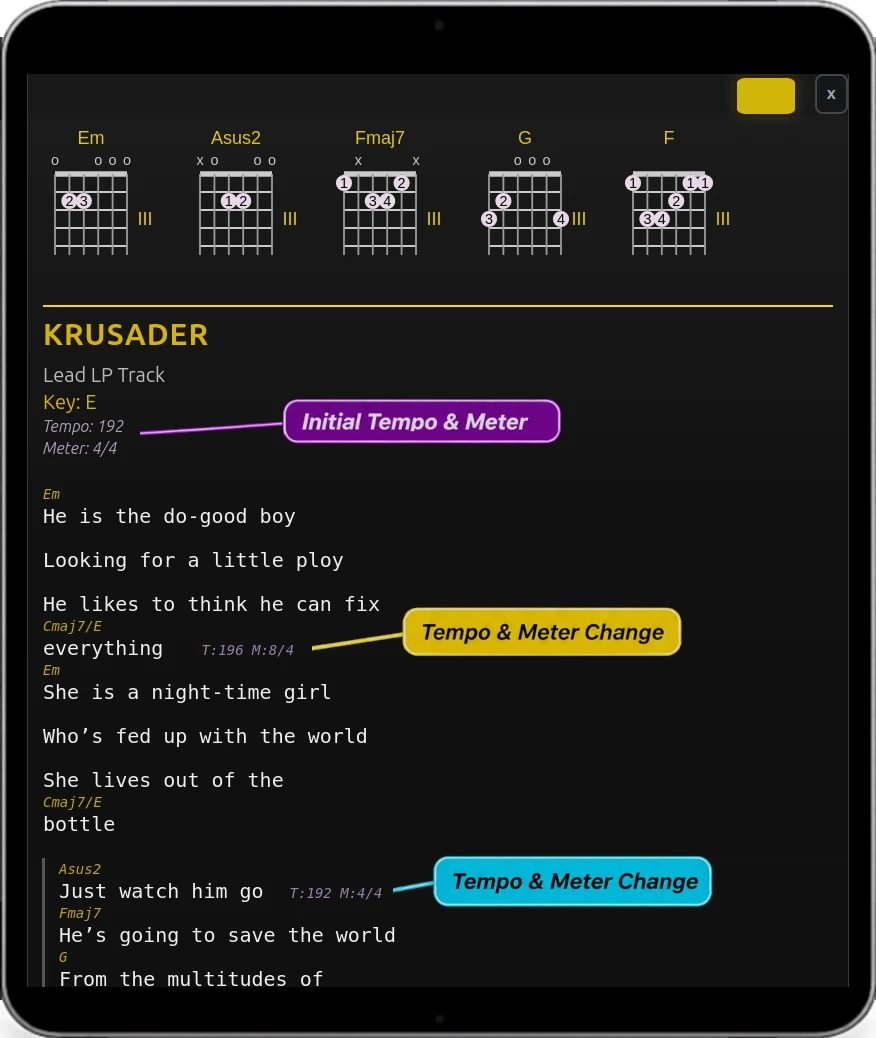
- Start with the song's tempo
- Program tempo changes throughout the song
- Change meter from 3/4 to 4/4, 6/4, 8/4, and back
- Keep musical timing and scrolling aligned across changes
- Use Song Notes timing commands for precise positioning
Add
{tempo:} and {meter:}
instructions where the music changes.
SRL compiles the arrangement into a performance timeline.
Automatic Scrolling. Performer Control.
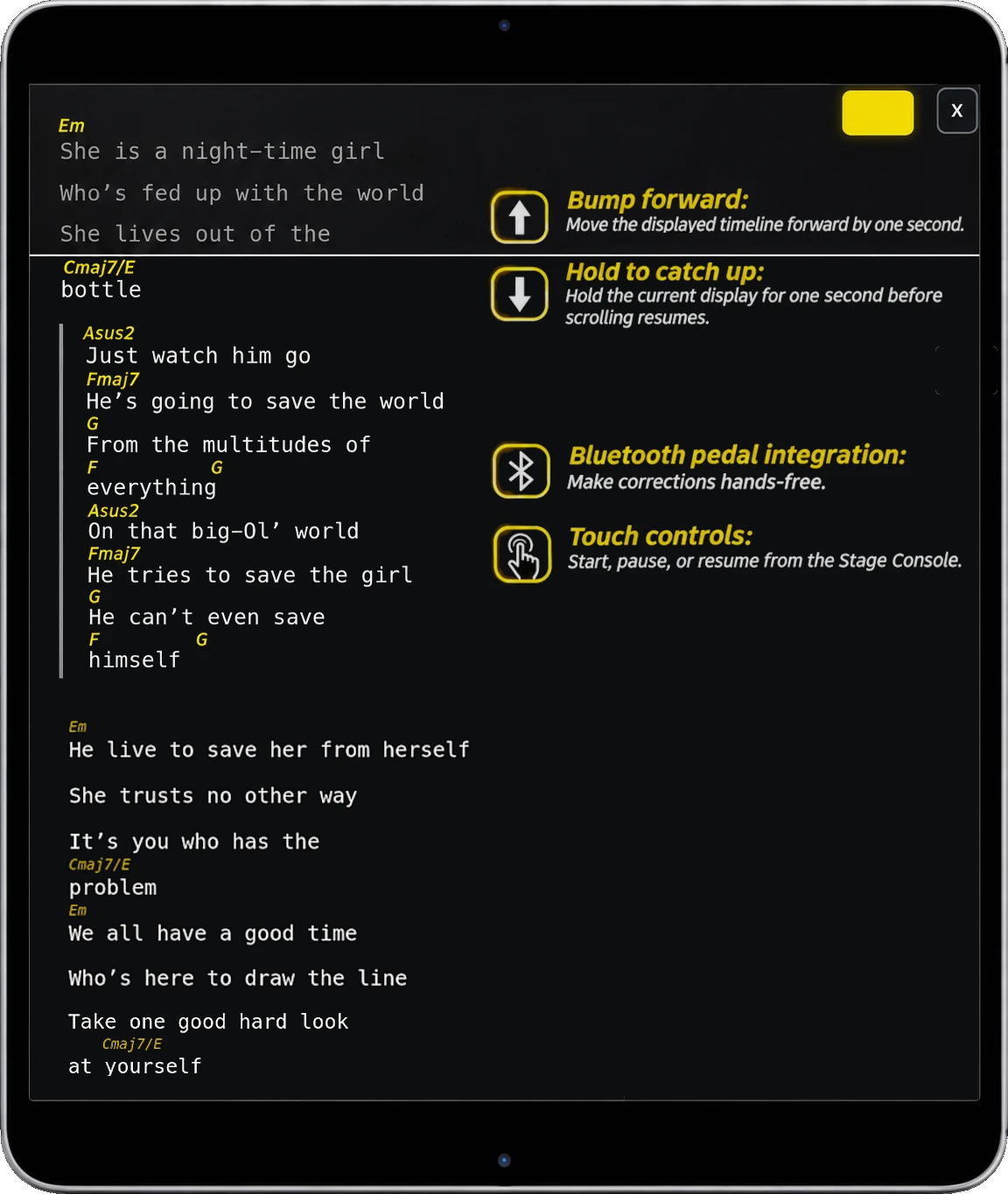
- Bump forward: Move the displayed timeline forward by one second.
- Hold to catch up: Hold the current display for one second before scrolling resumes.
- Pause and resume: Take control when the performance calls for it.
- Bluetooth pedal integration: Make corrections hands-free.
- Touch controls: Start, pause, or resume from the Stage Console.
Count In. Feel the Beat. Start Together.
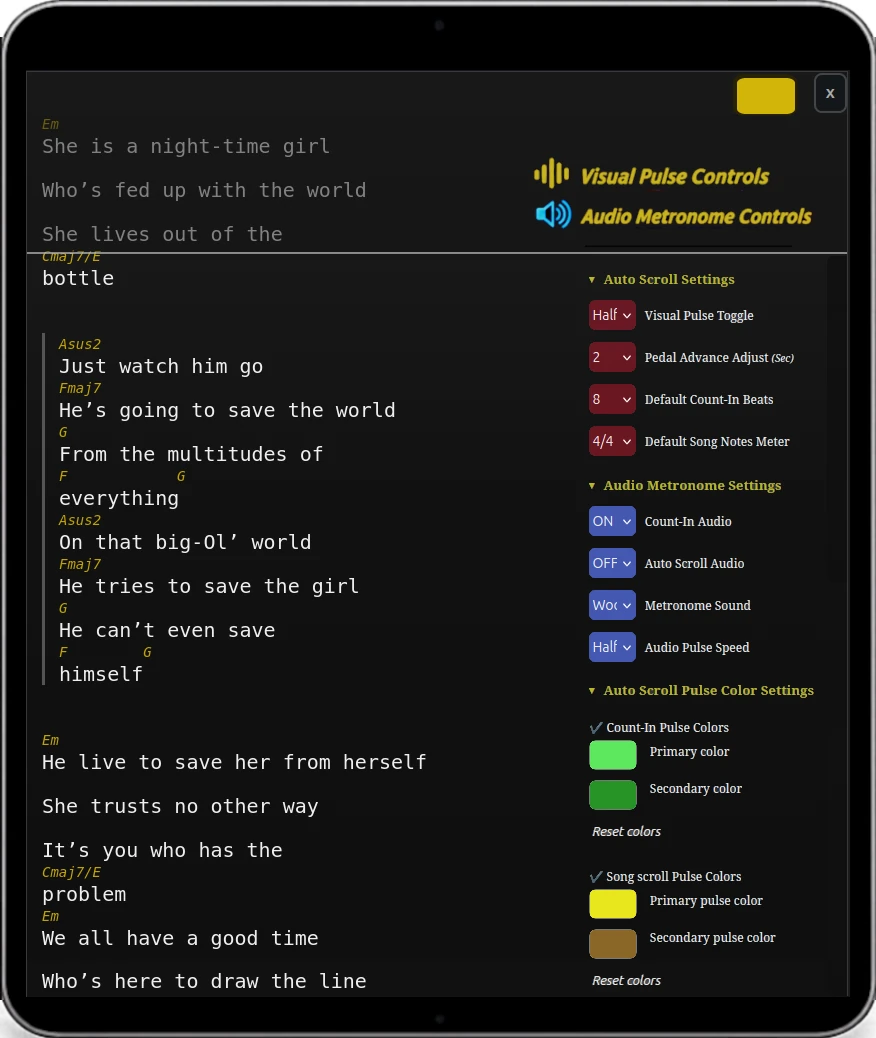
- Visible count-in pulse before the song begins
- Continuous visual tempo pulse during scrolling
- Selectable Full or Half pulse speed
- Customizable count-in and song-scroll pulse colors
- Separate audio on/off settings for count-in and song scrolling
- Digital, Woodblock, and Classic metronome sounds
- Selectable audio pulse speed
- Meter-aware count-in and song-scroll accents
- Smooth transition from count-in to song scrolling
Your PDF Becomes a Song Note You Can Edit.
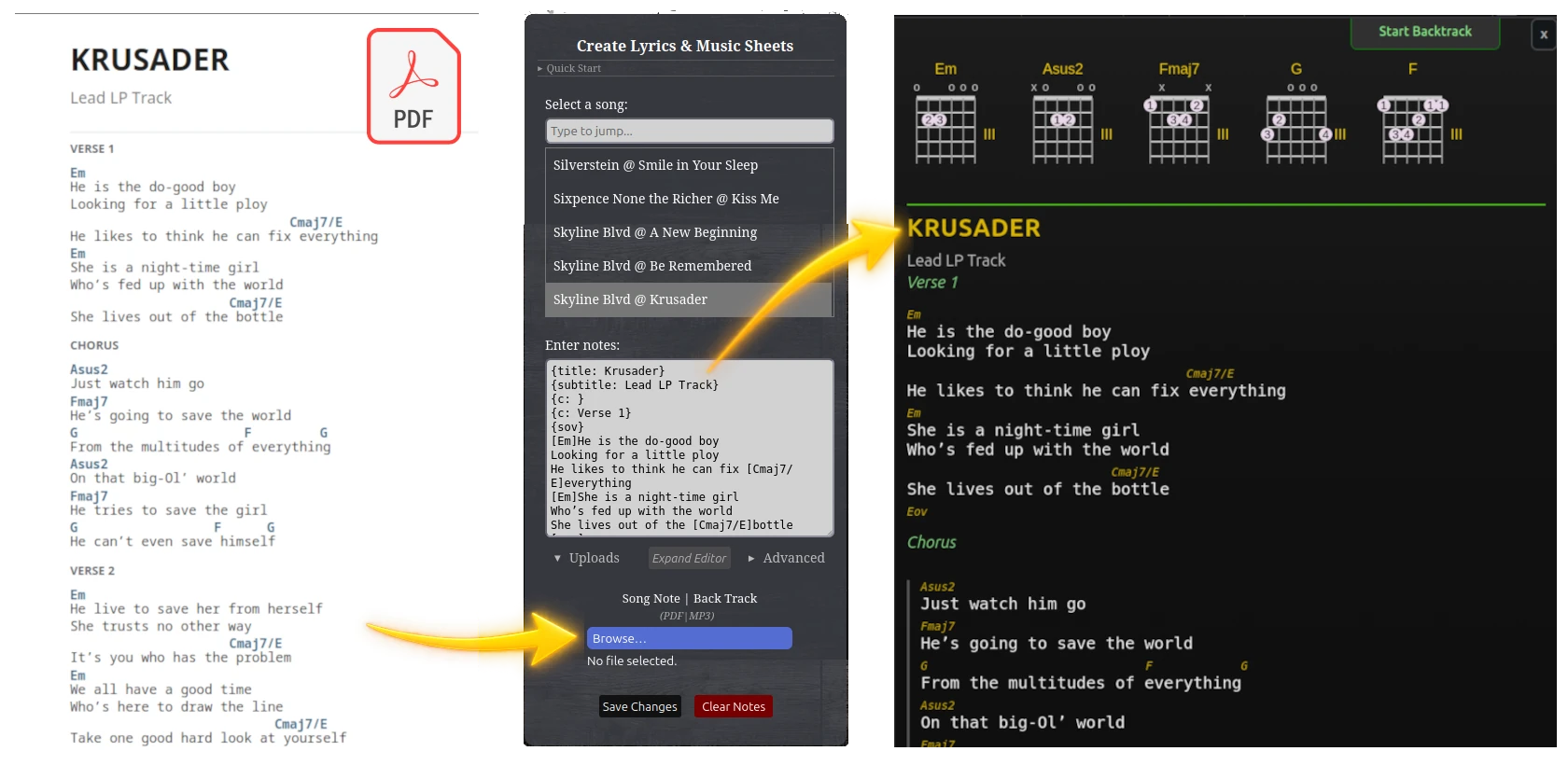
.cho, and .srl Song Notes work within the same performance system.
- Edit lyrics, chords, and song structure
- Use rich
.choand.srlformatting - Transpose supported chords into your preferred key
- Apply capo chord adjustments
- Display native chord diagrams from a library of more than 500 chords
- Add comments and timing commands for the live performance
Part of Your Stage Console. Not Another App.
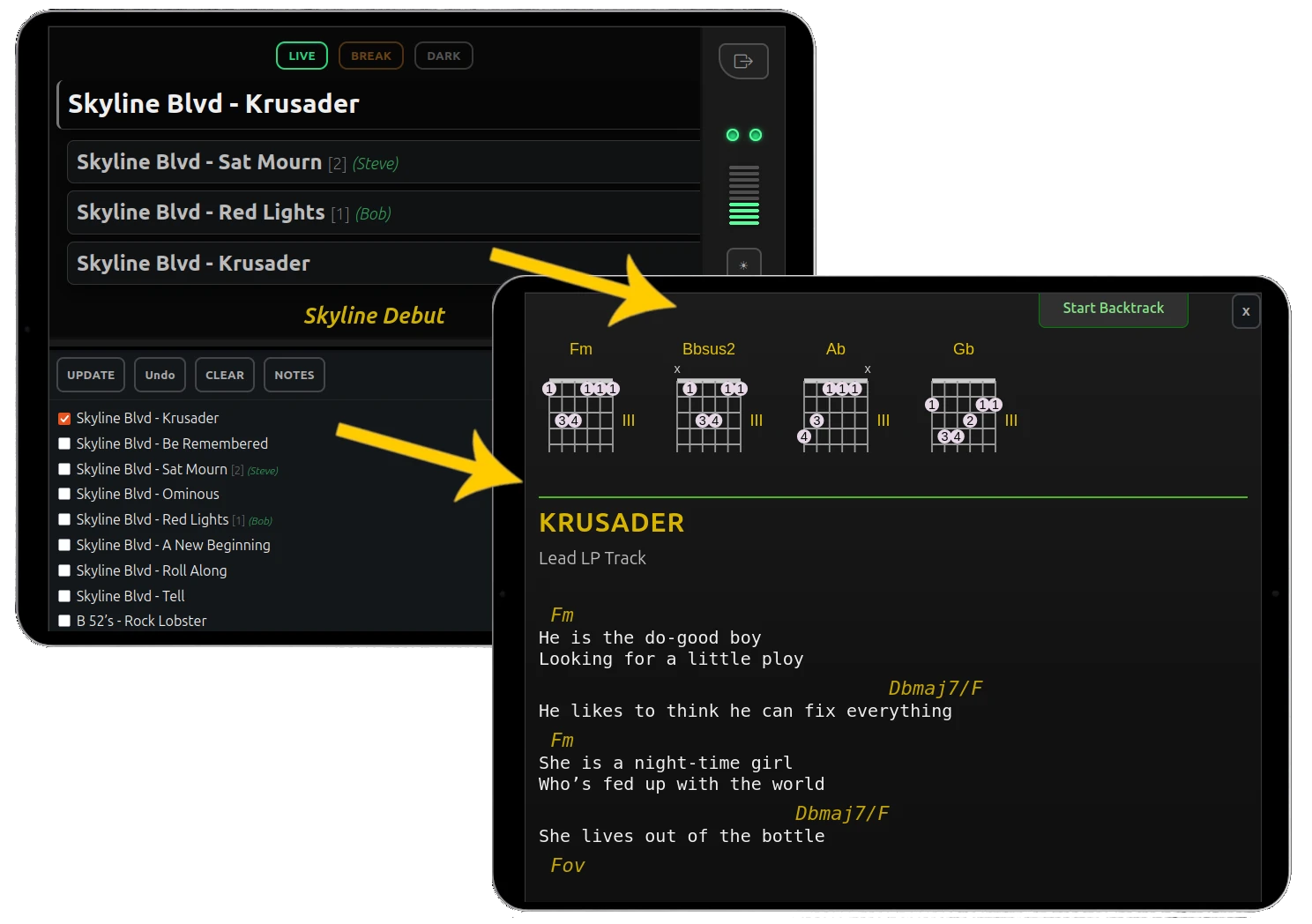
- Select the song from the Stage Console
- Open its Song Notes directly
- Start the count-in and automatic scrolling
- Keep hands-free controls available throughout the song
- Return to the show when the song ends
Advanced Auto Scrolling — Frequently Asked Questions
Does Auto Scrolling support changes in tempo?
Yes. Add tempo instructions at the appropriate places in your Song Note. SRL compiles those changes into its scrolling timeline.
Can the time signature change during a song?
Yes. SRL supports multiple meter changes, including transitions among 3/4, 4/4, 6/4, and 8/4.
Can I adjust the scroll during a live performance?
Yes. Move the visual scroll forward or briefly hold its position while keeping the musical clock running.
Do I need a backing track or MIDI equipment?
No. Advanced Auto Scrolling is driven by the compiled Song Notes timeline. It does not require backing tracks or MIDI synchronization.
Do I have to create my Song Notes from scratch?
No. Import supported PDF chord sheets or use existing Song Notes. Converted PDF content can be edited to match your arrangement.
Song Request Live Advanced Auto Scrolling
Everything you need in a Live Performance System.
