
Your show. Your flow.
You control how the audience requests songs and tips.
Customize your song request and tip settings to match your show.
Change them anytime, within seconds.
Before the show. During the show. Whatever you need, whenever you need it.
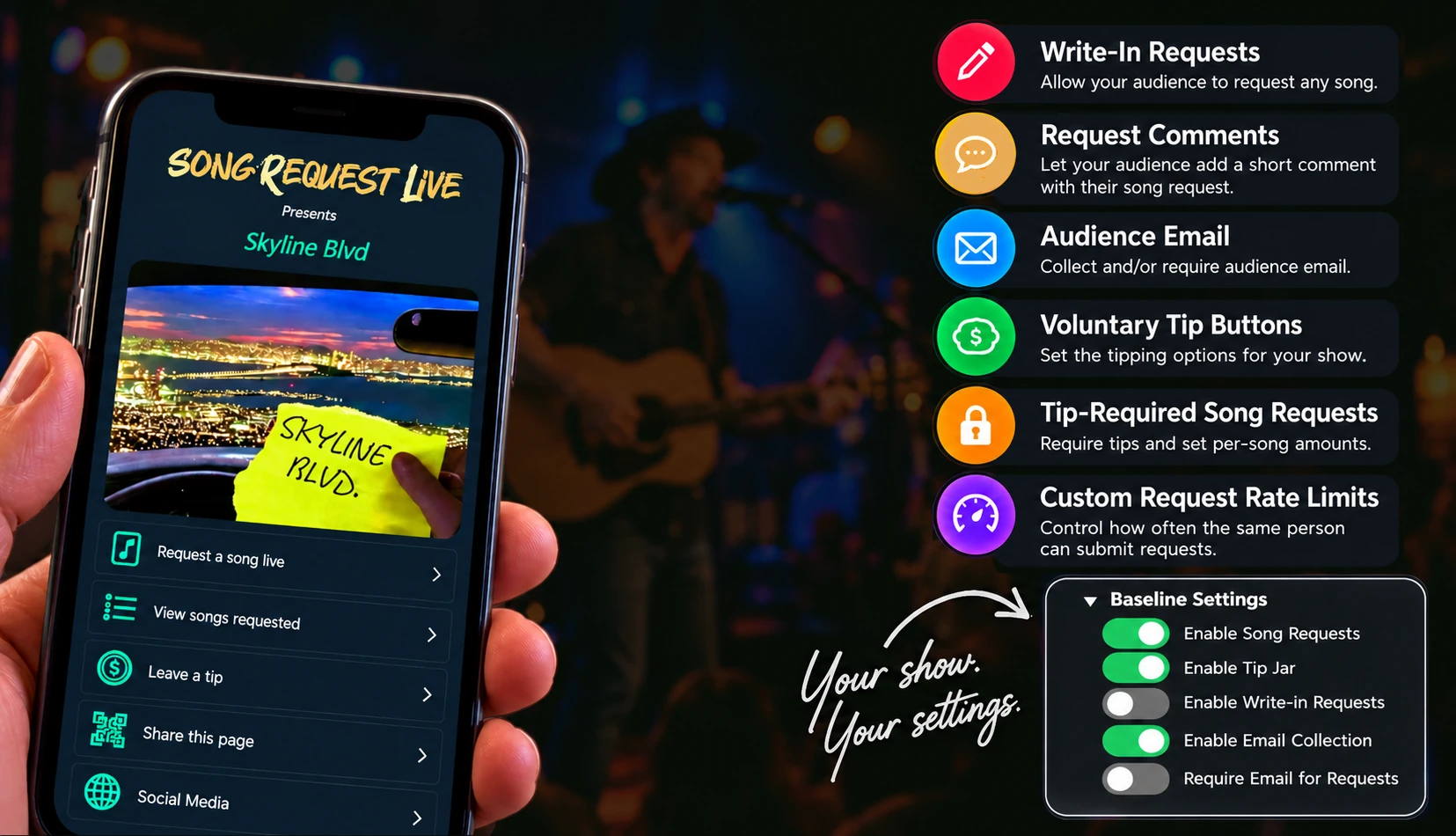
Write-In Requests
Give your audience the option to request songs beyond your listed song library.
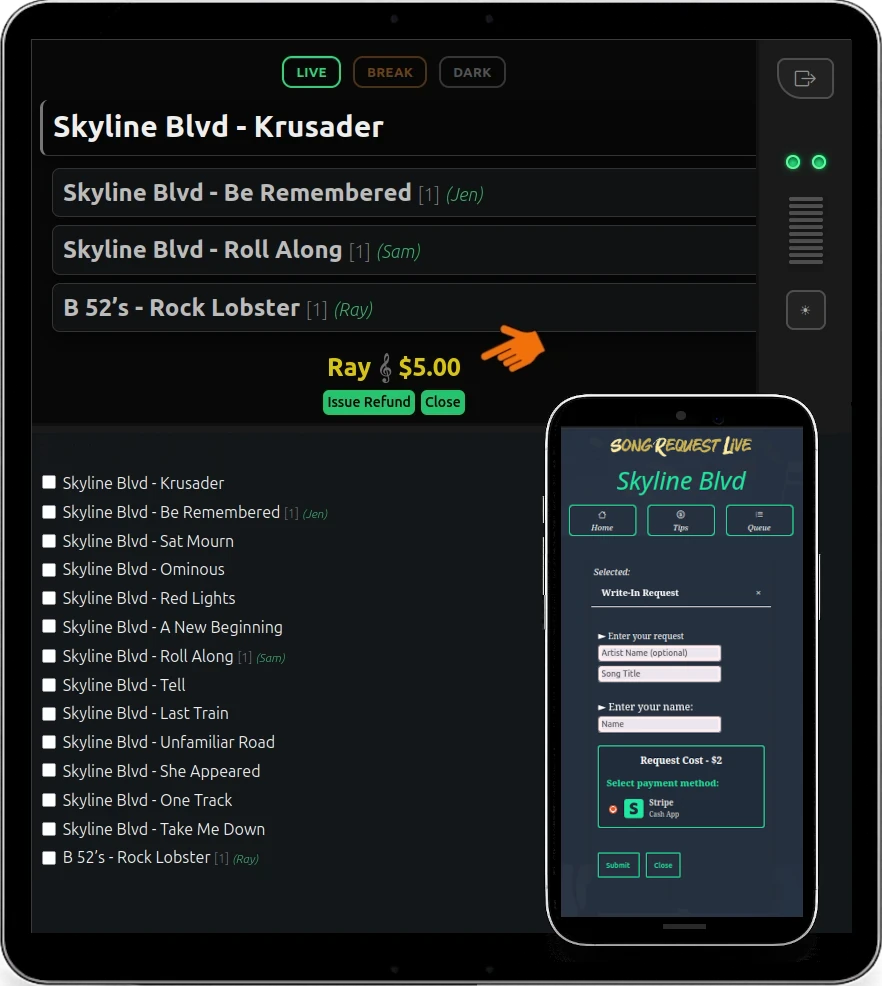
Enable or disable Write-In Requests at any time. When Tip-Required Song Requests are enabled,
you can also set a required tip amount specifically for write-ins.
When a write-in request arrives, accept or reject it directly from your Stage Console.
More flexibility for your audience. Full control for the performer.
Enable required Tips
With PlayDough, you can set a minimum amount for all songs, custom tip amounts for each individual song, and a set amount for write-in requests.
Enable Tip-Required Song Requests and make some extra dough.
Audience Email
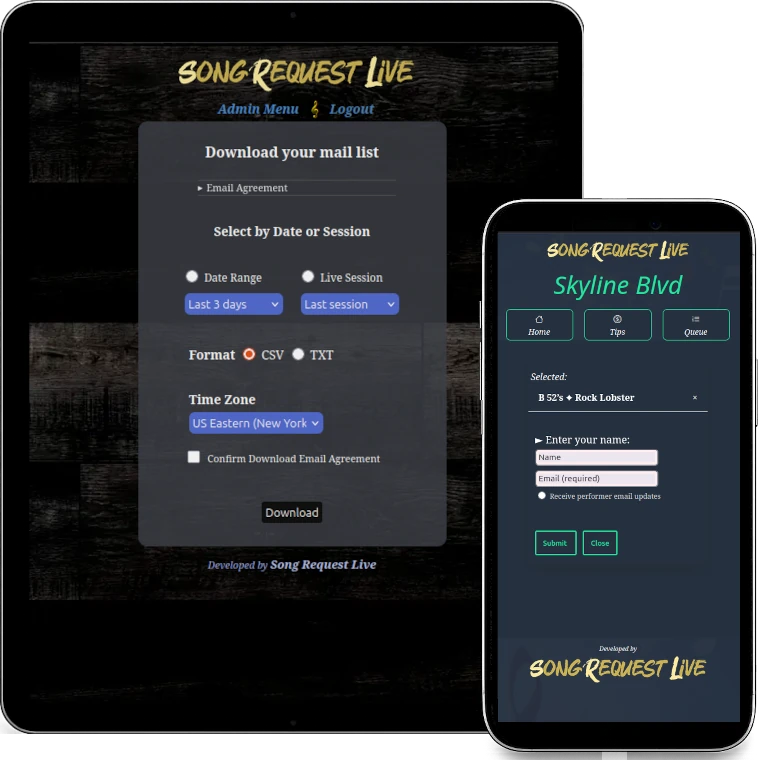
Request or require an email address for song requests.
Make email entry optional, or require it before a request can be submitted.
Audience members can choose to receive performer updates, and those addresses are added to your SRL mail list.
Download your collected email list by date range or live session, in CSV or TXT format.
Audience members can opt out at any time through your public SRL page.
Turn song requests into an opportunity to stay connected with your audience.
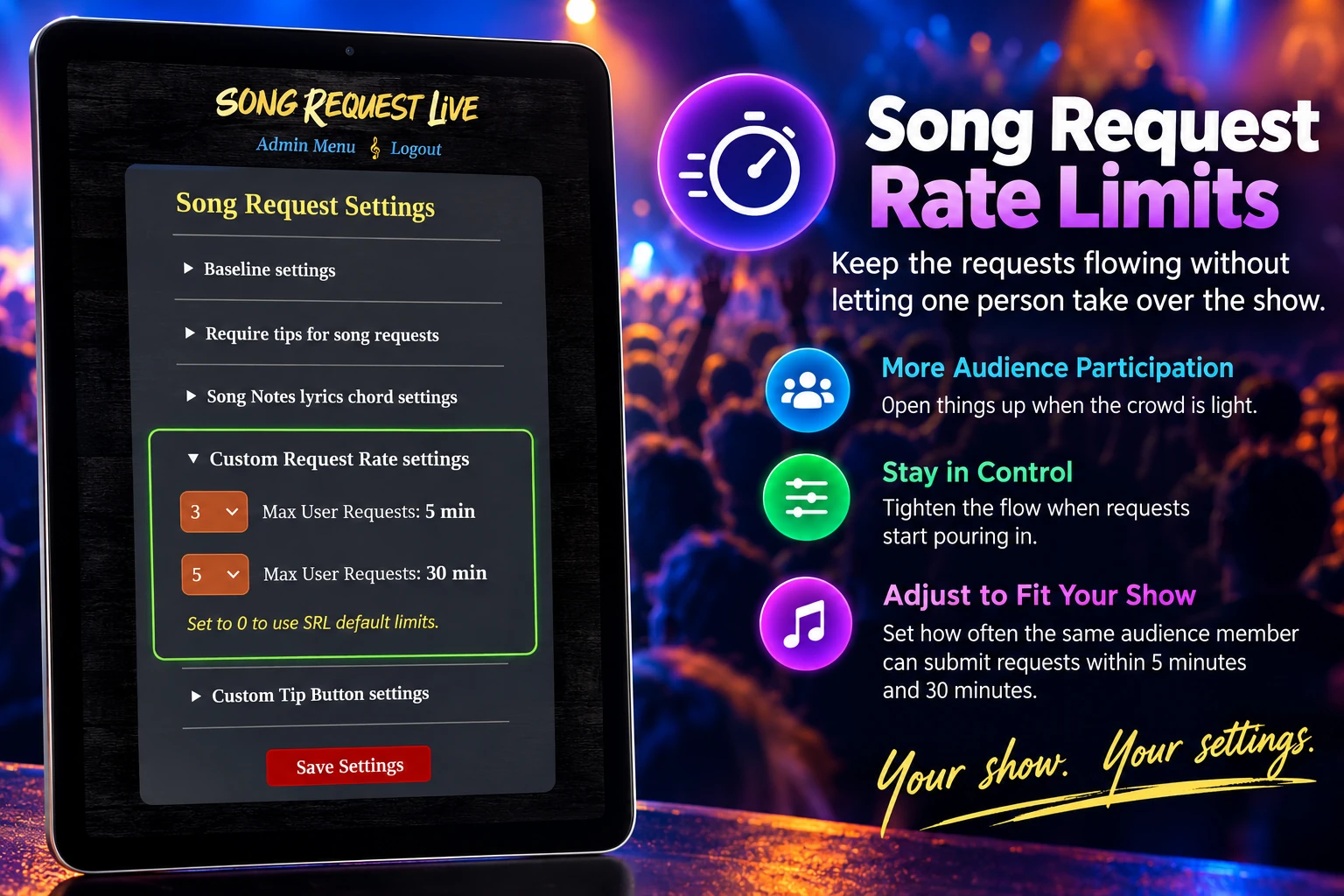
Custom Request Rate Limits
Control how often audience members can submit song requests.
Open things up when the crowd is light. Tighten the flow when requests start pouring in.
SRL lets you adjust how often each audience member can submit requests so the queue stays active, balanced, and fun.
More crowd participation. Less request overload.
Request Comments
Enable Request Comments for more crowd interaction.
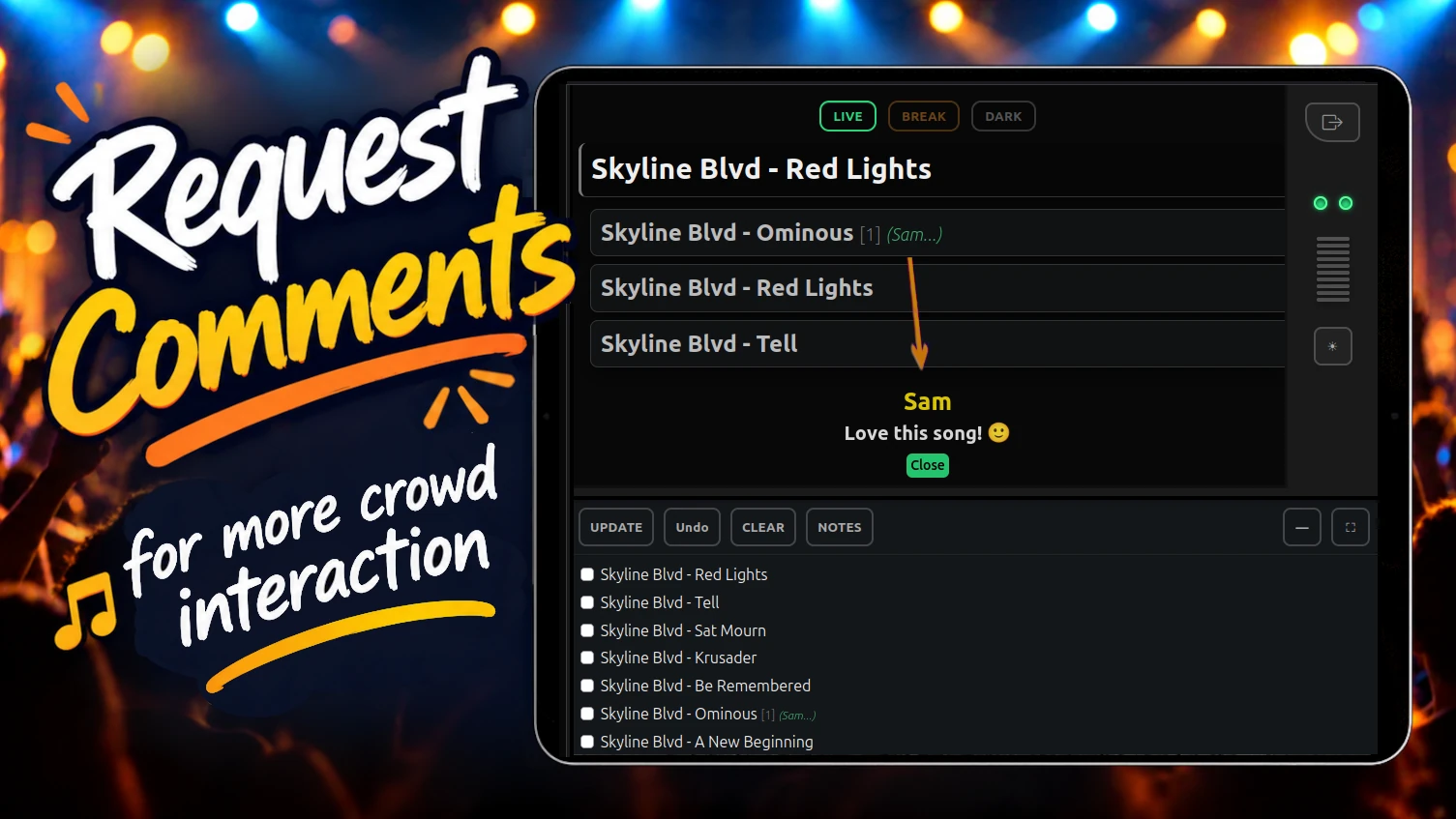
Give your audience the option to add a short comment with their song request.
Comments appear directly in your Stage Console, giving performers more context
and another simple way to interact with the crowd.
Request Comments include built-in profanity screening and work alongside SRL’s request-spam controls. They also fully integrate with PlayDough, allowing comments to accompany Tip-Required Song Requests.
Request Comments include built-in profanity screening and work alongside SRL’s request-spam controls. They also fully integrate with PlayDough, allowing comments to accompany Tip-Required Song Requests.
More than a song request — More connection with your crowd.
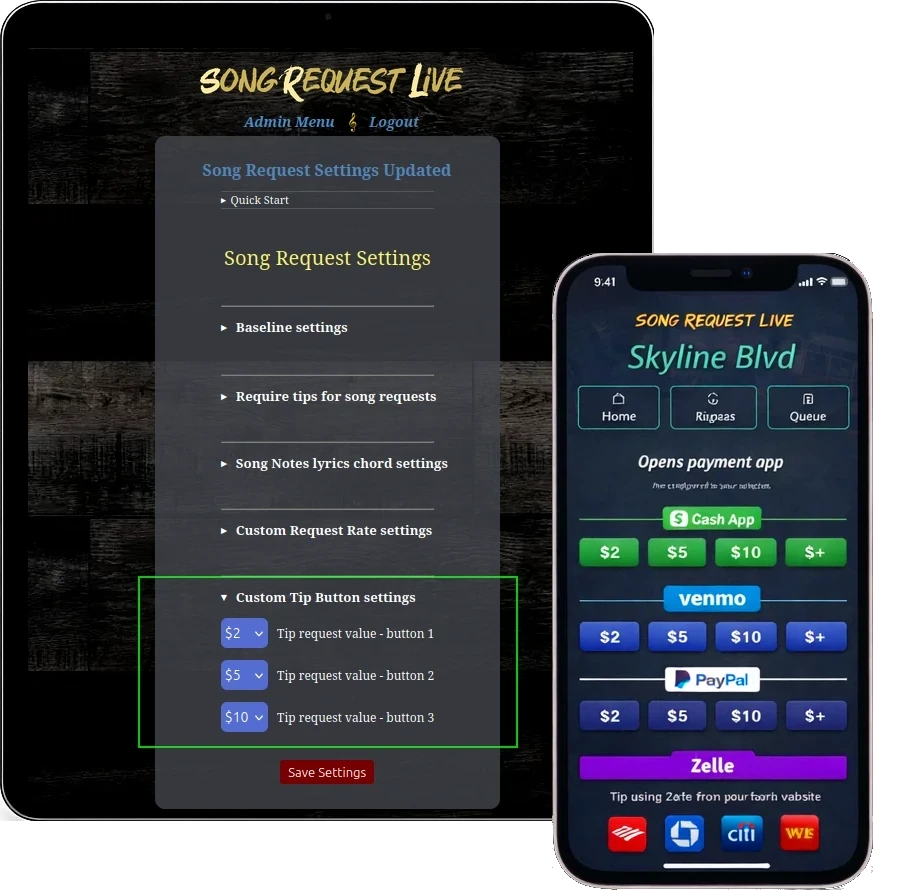
Customize Your Tip Buttons
Adjust the default tipping amounts without slowing down SRL’s frictionless 3-click tipping.
Set the preset amounts that fit your crowd and your show, while keeping the same fast tipping flow your audience already uses.
Your amounts. Same 3-click experience.
Live Song Requests
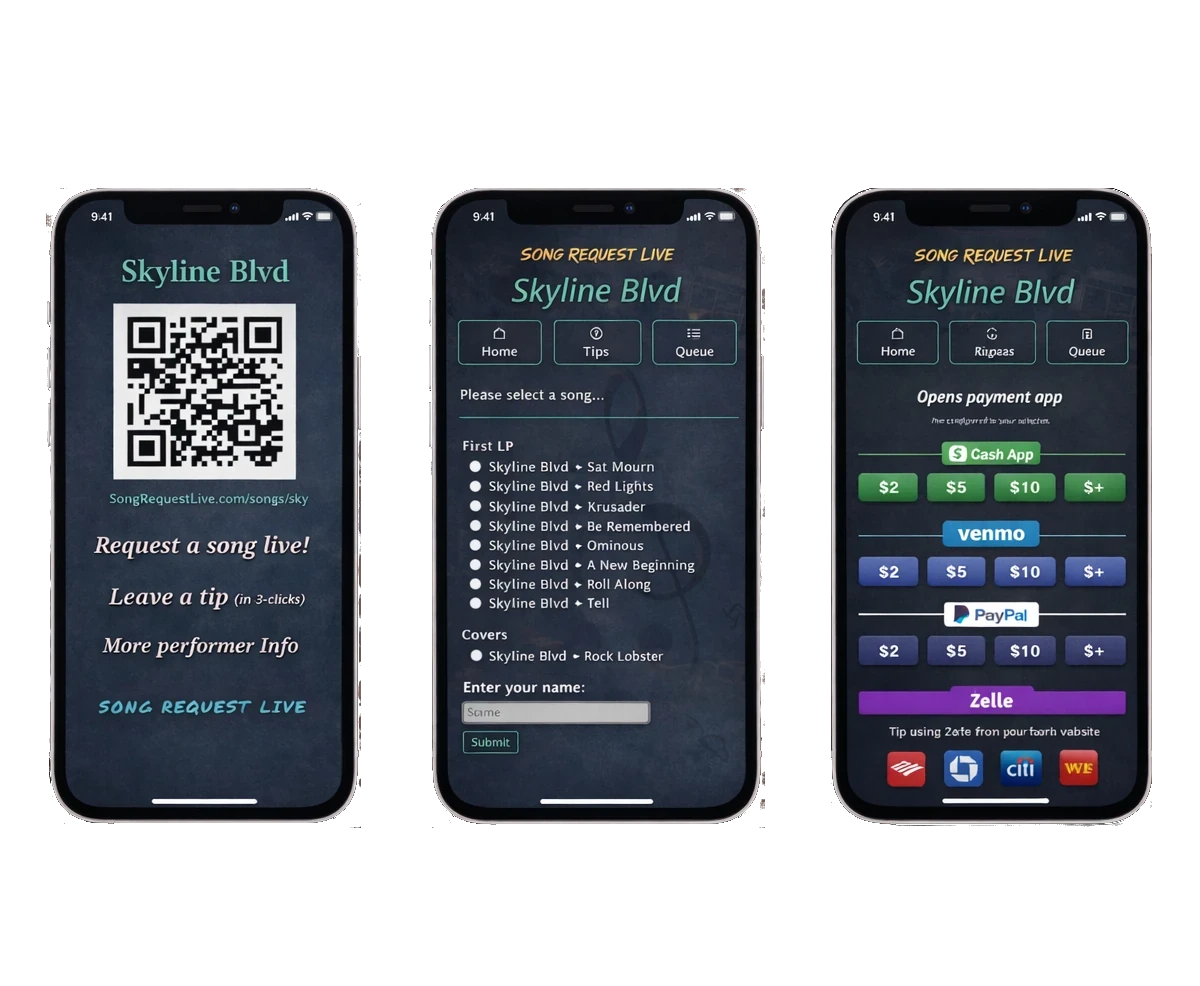
Scan the code ➜ Request a song ➜ Leave a tip
No apps. No accounts. No friction.
The crowd becomes part of the show.
The crowd becomes part of the show.
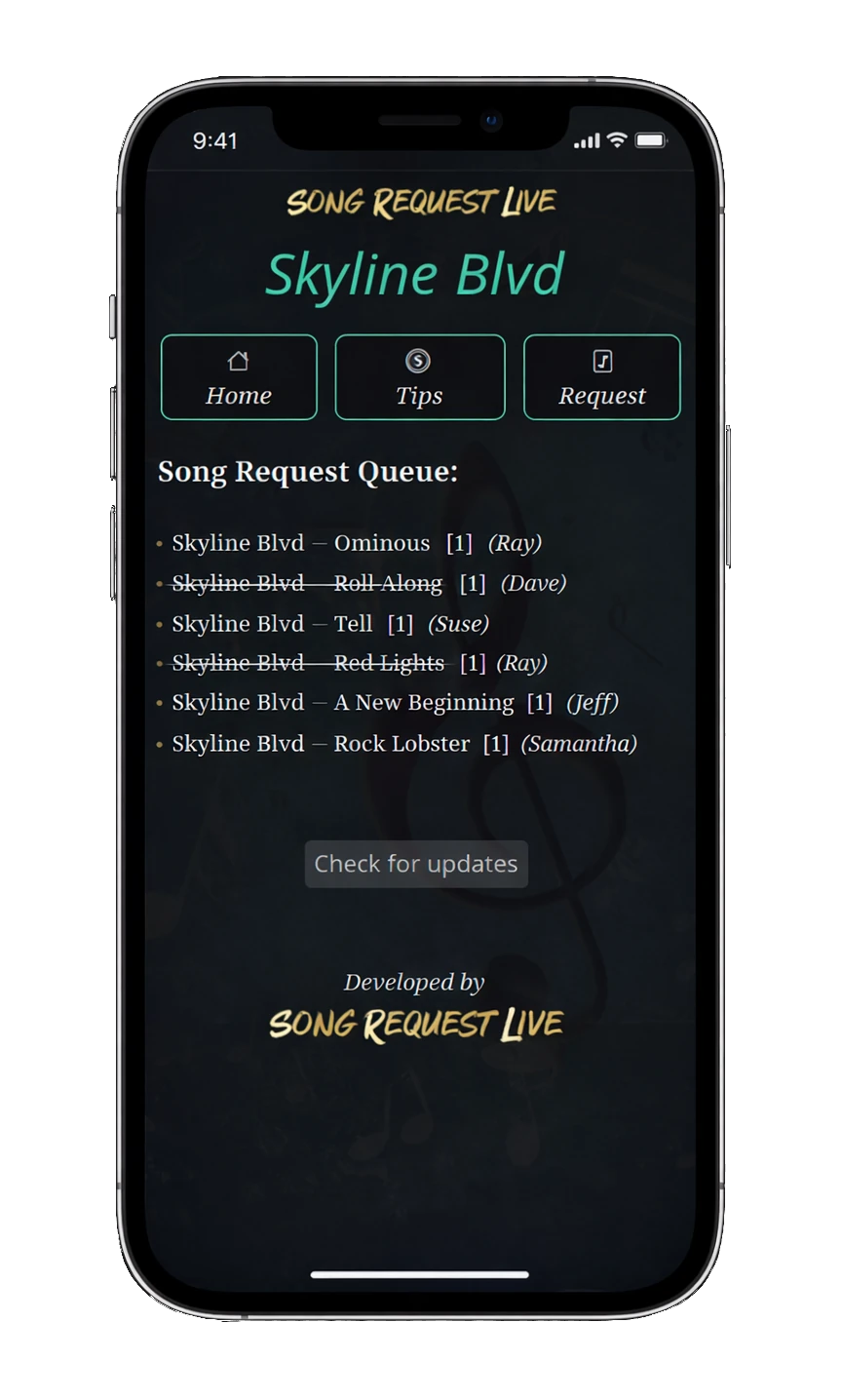
The Live Song Queue
Audience requests are displayed within the live requests queue.
- Works on any phone
- Simple song selection
- Your song requests are public
- Your setlist is private
After songs are performed, they are crossed off - keeping a history of what has been played for the audience.
Create a free account and experience how organized requests and audience interaction can improve a live show.
No credit card required for your free account.