Bring Your Song Library With You.
Upload your PDF chord sheets. SRL turns them into performance-ready
Song Notes—fully editable and instantly available in the Stage Console.
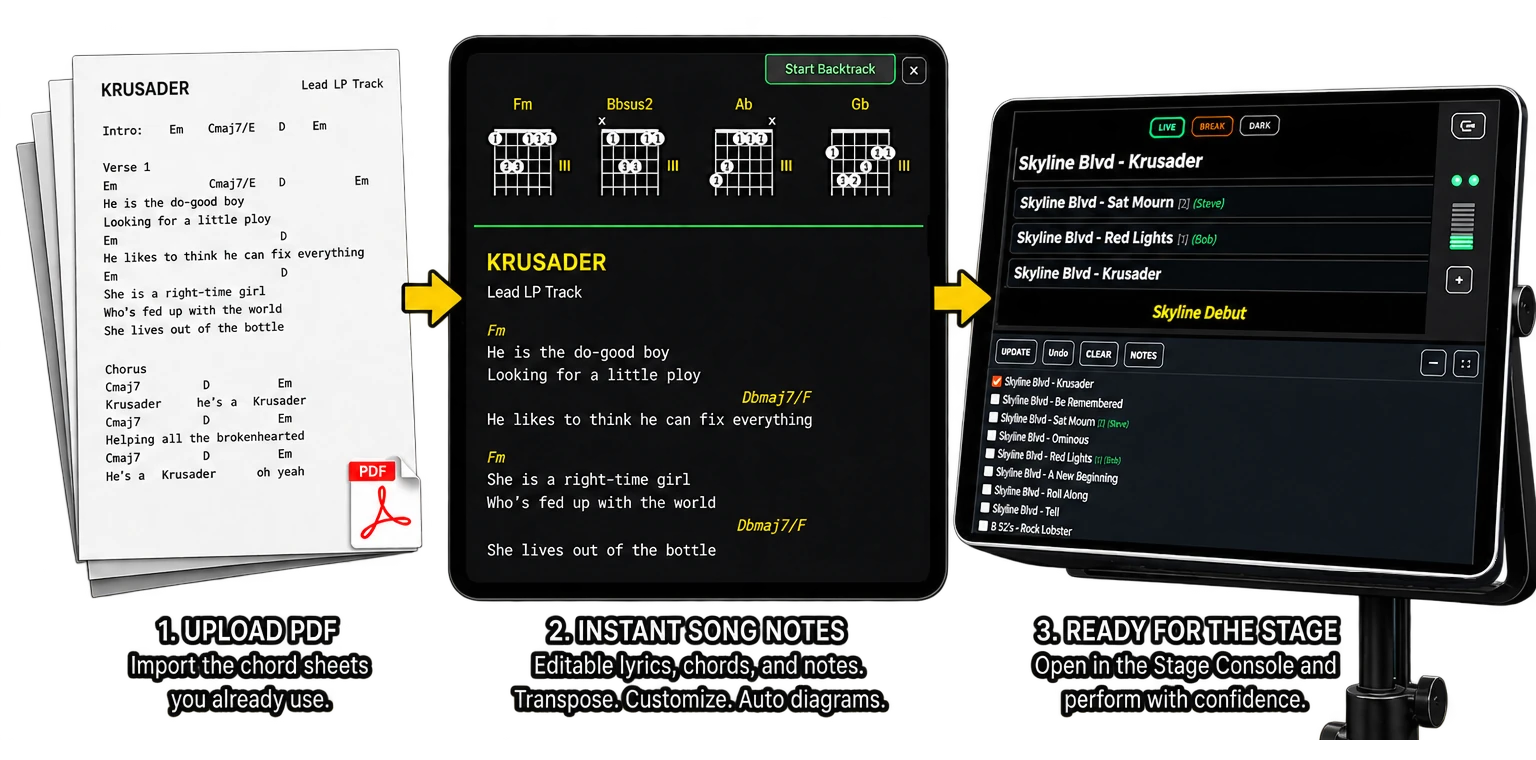
Download a chord sheet from virtually anywhere.
Upload it to SRL and your new Song Note
becomes available from the Stage Console for your live performances.
Supported PDFs
Text-based PDFs. PDFs with vector-rendered chords. Browser-generated PDFs. PDFs exported from common document applications. Mixed text/vector chord sheets. Up to 5 pages per PDF.
Unsupported PDFs
Scanned or photographed copies of PDFs. Image-only PDFs. Uncommon PDF font or encoding formats.
Text-based PDFs. PDFs with vector-rendered chords. Browser-generated PDFs. PDFs exported from common document applications. Mixed text/vector chord sheets. Up to 5 pages per PDF.
Unsupported PDFs
Scanned or photographed copies of PDFs. Image-only PDFs. Uncommon PDF font or encoding formats.
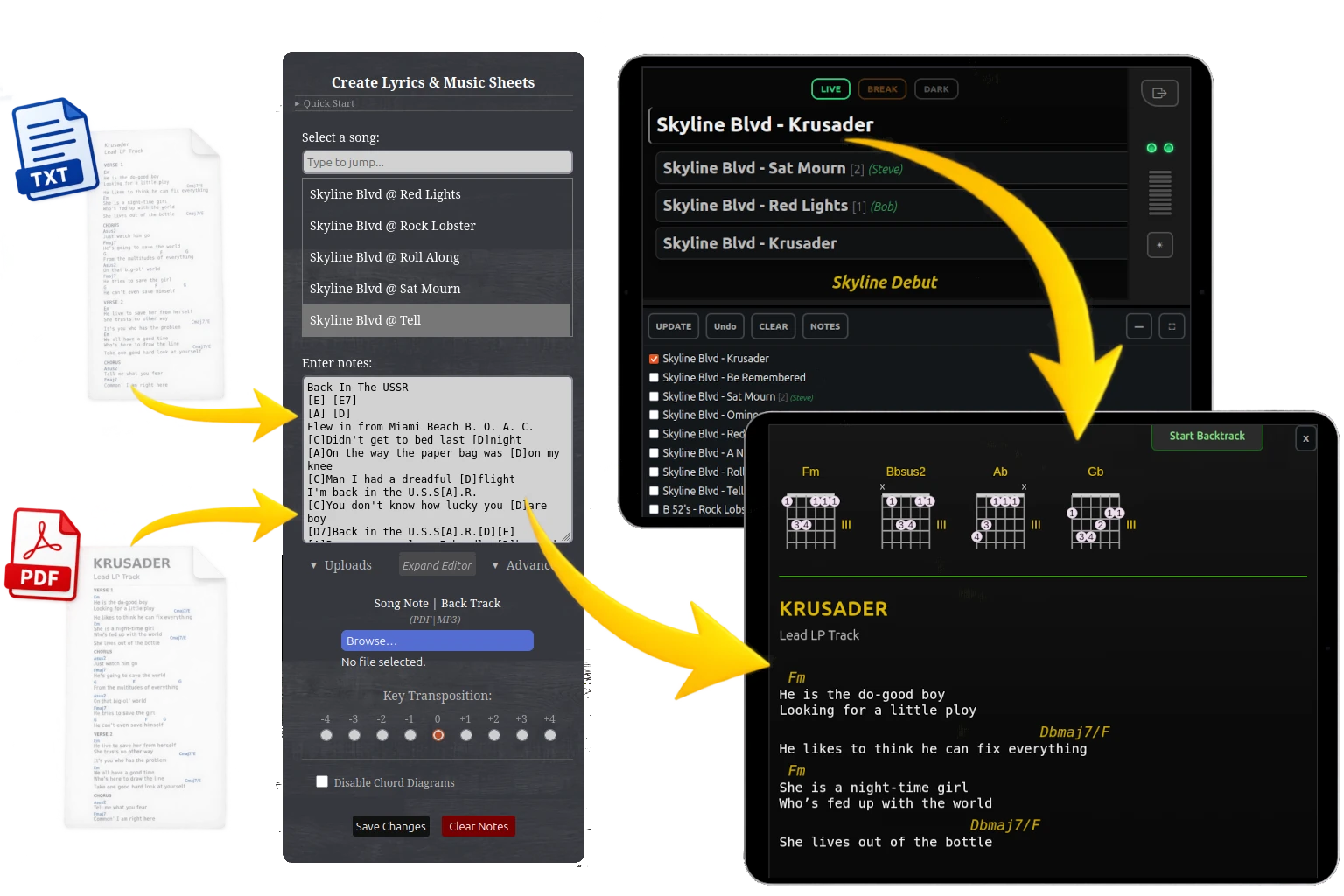
Start with what you already have.
Type it. Paste it. Upload it.
You don't need to rebuild your music library
before you can start using Song Notes.
- Type a new Song Note from scratch
- Paste existing lyrics
- Paste ChordPro-style chord notation
- Upload supported PDF chord sheets
- Edit everything inside SRL
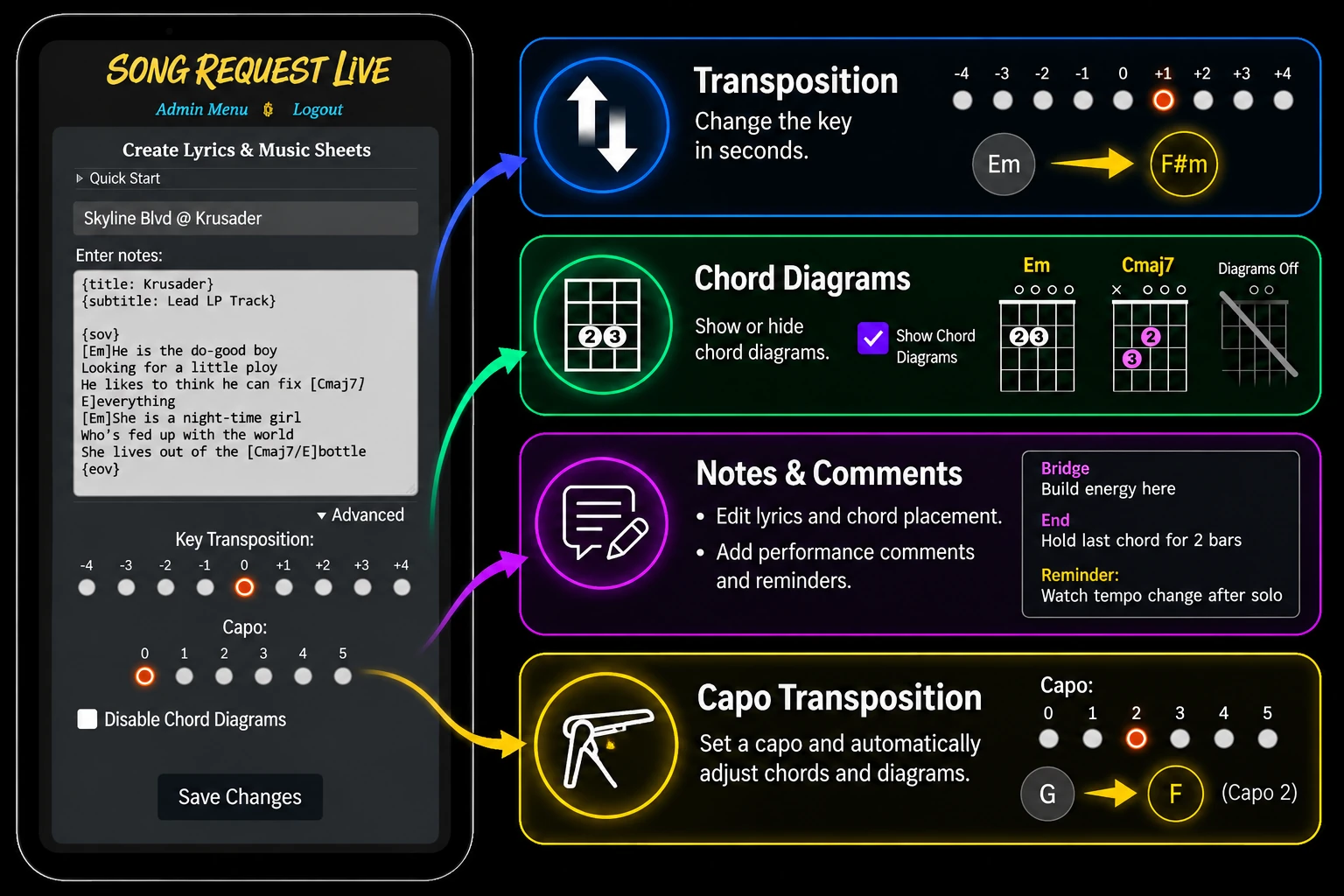
Make every song yours.
All your song sheets remain fully editable.
Make changes to match your arrangement,
your instrument, and your voice.
- Transpose supported chords by semitone
- Automatically adjust chords and diagrams for capo position
- Save your preferred performance key
- Enable or disable chord diagrams
- Edit lyrics and chord placement
- Add performance comments and reminders
- Change the chord font size or color
All imported Song Notes remain editable,
so your music can evolve as your arrangement changes.
Built for the stage.
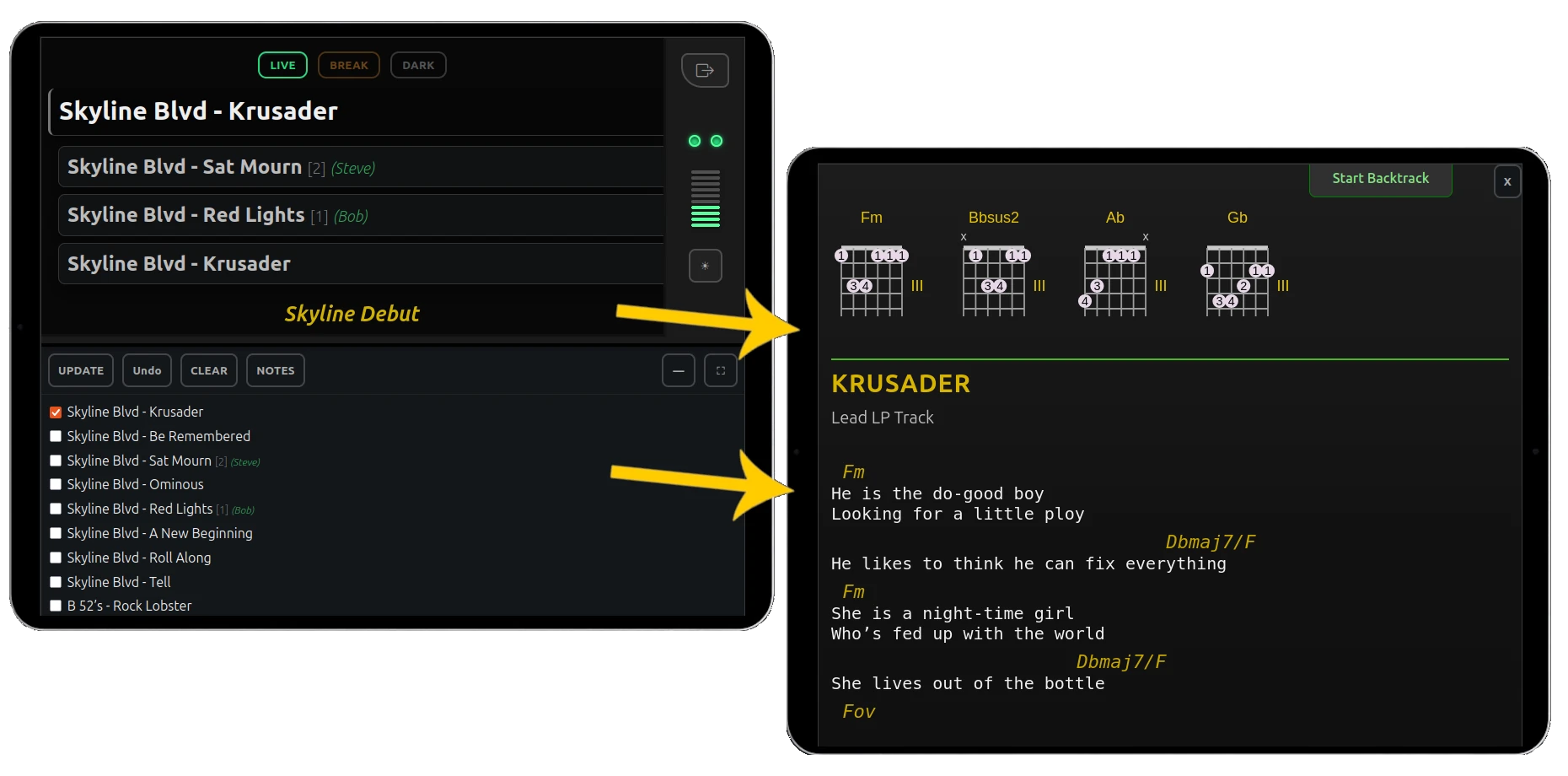
Your entire Song Note library is already inside your Stage Console.
SRL Song Notes isn’t a separate app or document viewer.
It’s part of the SRL Stage Console, where every Song Note
is just one click away from a full-screen performance view.
- Select the song from your Stage Console
- Your Song Note opens in a full-screen performance view
- Return directly to your live show controls
Select the song. Open Notes. Play.
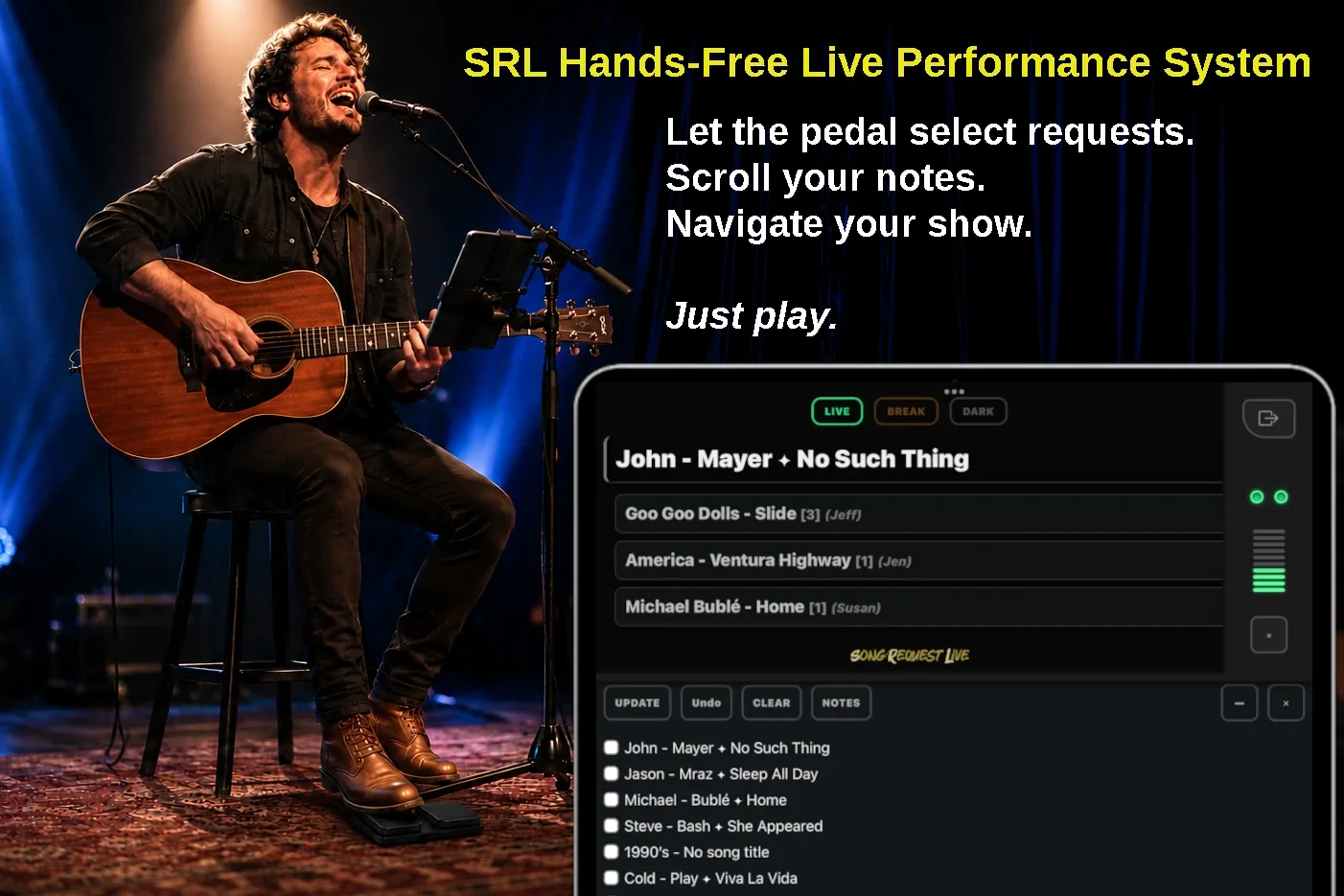
Control the entire show without touching the screen
SRL Hands-Free lets you navigate the Stage Console,
Song Notes, Setlists, and Requests with simple Bluetooth dual-pedal control.
- Navigate all songs in Setlist mode
- Jump between audience requests
- Open and scroll Song Notes
- Advance, clear, and undo songs
More than lyrics and chords.
Play your Back Tracks right from your Song Note.
Attach an MP3 Back Track to a song and access it
from Song Notes during your performance.
- Attach Back Tracks to your songs
- Access them directly from Song Notes
- Start playback during the performance
- Pause and resume when needed
- Keep your music and performance audio together
Your Song Note becomes more than something to read.
It becomes part of the performance controls for the song.
Your notes and your track — together when you need them.
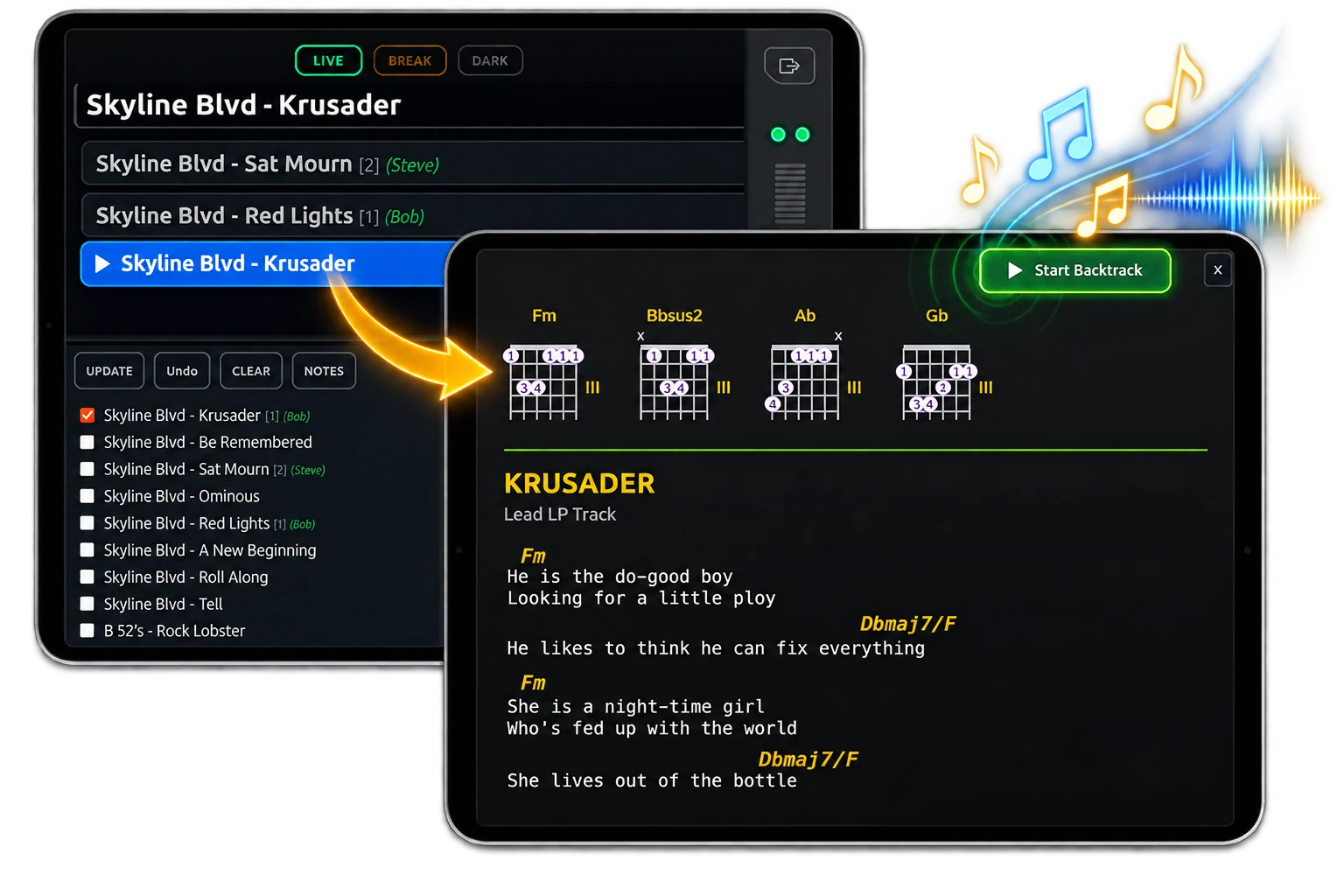
Your songs. Your show. One performance system.
Build the song once. Use it live as long as you need.
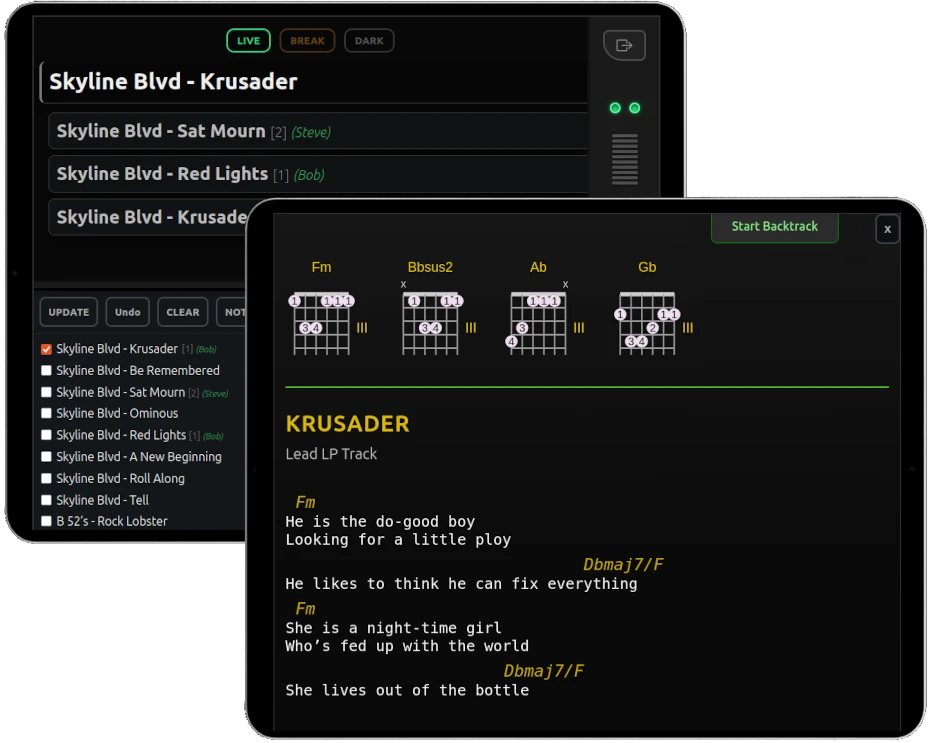
Your songs, setlists, audience requests,
performance controls, and Song Notes work together
inside one live-performance platform.
Start building your live-performance workspace with SRL Free.
No credit card required for your free account.
